
Introduction: Why Sound Effects Matter More Than You Think
If you had to choose between great visuals with weak audio or average visuals with strong sound, which would you pick? Most viewers subconsciously choose the second—because sound effects and audio quality dramatically shape how “professional” content feels.
For creators searching how to use sound effects in videos, podcasts, games, or social media, the surprise is this: you don’t need a studio budget to sound pro. With the right approach, even beginners can use simple SFX to boost engagement, retention, and emotional impact.
In this guide, you’ll learn what sound effects are, how to choose and use them step by step, and how to build a long-term, scalable SFX workflow that fits your content style and budget.
Core Concept / “The What”: What Are Sound Effects, Really?
At the simplest level, sound effects (SFX) are any audio elements added or enhanced in post-production that aren’t just raw dialogue or music.
Common types of sound effects include:
- Foley
Everyday sounds recreated or recorded specifically for your project: footsteps, door closes, clothing rustle, object handling. - Ambience / Atmosphere
Background sound that sets a place or mood: city noise, forest birds, room tone, crowd murmur. - Design / Impact Sounds
Whooshes, hits, risers, cinematic booms, glitch sounds—often used in trailers, intros, and transitions. - Interface / UI Sounds
Clicks, taps, notification pings, error beeps for apps, games, and software demos. - Cartoon / Stylized SFX
Exaggerated sounds (boings, zaps, pops) for animation, kids’ content, or comedic timing.
Practical examples of sound effects in action:
- A YouTube tutorial adds soft click and whoosh sounds when transitions happen and buttons are pressed.
- A podcast uses room tone and subtle ambience to make interview edits seamless.
- A mobile game layers coin pickup, level-up, and damage sounds to create instant feedback and satisfaction.
When you start to notice them, you realize: sound effects are everywhere—and they’re a huge part of why professional content feels polished.
Time & Investment: What Does Working with Sound Effects Involve?
How much time and money you’ll invest in sound effects depends on your goals and scale.
Time investment (per project, after some practice):
- Small video or reel (30–60 seconds):
10–20 minutes to pick, place, and mix a few key SFX. - Standard YouTube video (5–10 minutes):
30–60 minutes for light sound design (transitions, UI sounds, a bit of ambience). - Podcast episode (30–60 minutes):
30–90 minutes for intro/outro, ads, stingers, and subtle ambience. - Game / app:
Ongoing, but one core SFX pass per feature or level, then occasional tweaks.
Money investment:
You have three main options:
- Free libraries (budget: $0)
- Great for beginners.
- Look for “royalty-free” and “OK for commercial use” licenses.
- Paid SFX packs or subscriptions (budget: $20–$50+ one-time or monthly)
- Higher quality, more consistent styles, better metadata.
- Useful once you publish regularly.
- Custom sound design / hiring a sound designer (varies widely)
- Best for games, brands, or films needing a unique audio identity.
If you’re just starting, you can absolutely create professional-feeling content using free or low-cost sound effects and a bit of thoughtful sound design.
Step-by-Step Guide / “The How”: Using Sound Effects Like a Pro
Step 1: Define the Purpose of Your Sound Effects
Before you add anything, ask:
- Do I want to clarify actions (clicks, swipes, doors)?
- Do I want to add emotion (tension, excitement, calm)?
- Do I want to mask cuts and make edits feel smoother?
If you’re a beginner, I suggest starting with one simple goal:
“Use sound effects to make cuts and transitions feel smoother and more intentional.”
Step 2: Choose the Right SFX Library or Source
Options include:
- Free SFX sites (check licenses carefully)
- Subscription libraries with search and filters
- Built-in SFX in your video editor or DAW
- AI-generated sound effects tools that let you type a description and generate audio
Pro tip:
Create a go-to folder on your drive with your favorite:
- Whooshes
- Button clicks
- Page turns
- Ambience (room tone, light city, indoor crowd)
This “starter kit” saves you tons of time on every project.
Step 3: Place Sound Effects in the Timeline
Drop sound effects strategically:
- At transitions – add a quick whoosh or swipe when the scene cuts or text appears.
- On actions – match clicks, taps, swipes, opens, or drops precisely to visual events.
- Under dialog – use very low-level ambience to avoid “dead silence.”
Zoom in and align SFX peaks with the exact frame where the action happens. Small timing adjustments (a few frames early or late) can completely change how natural or snappy it feels.
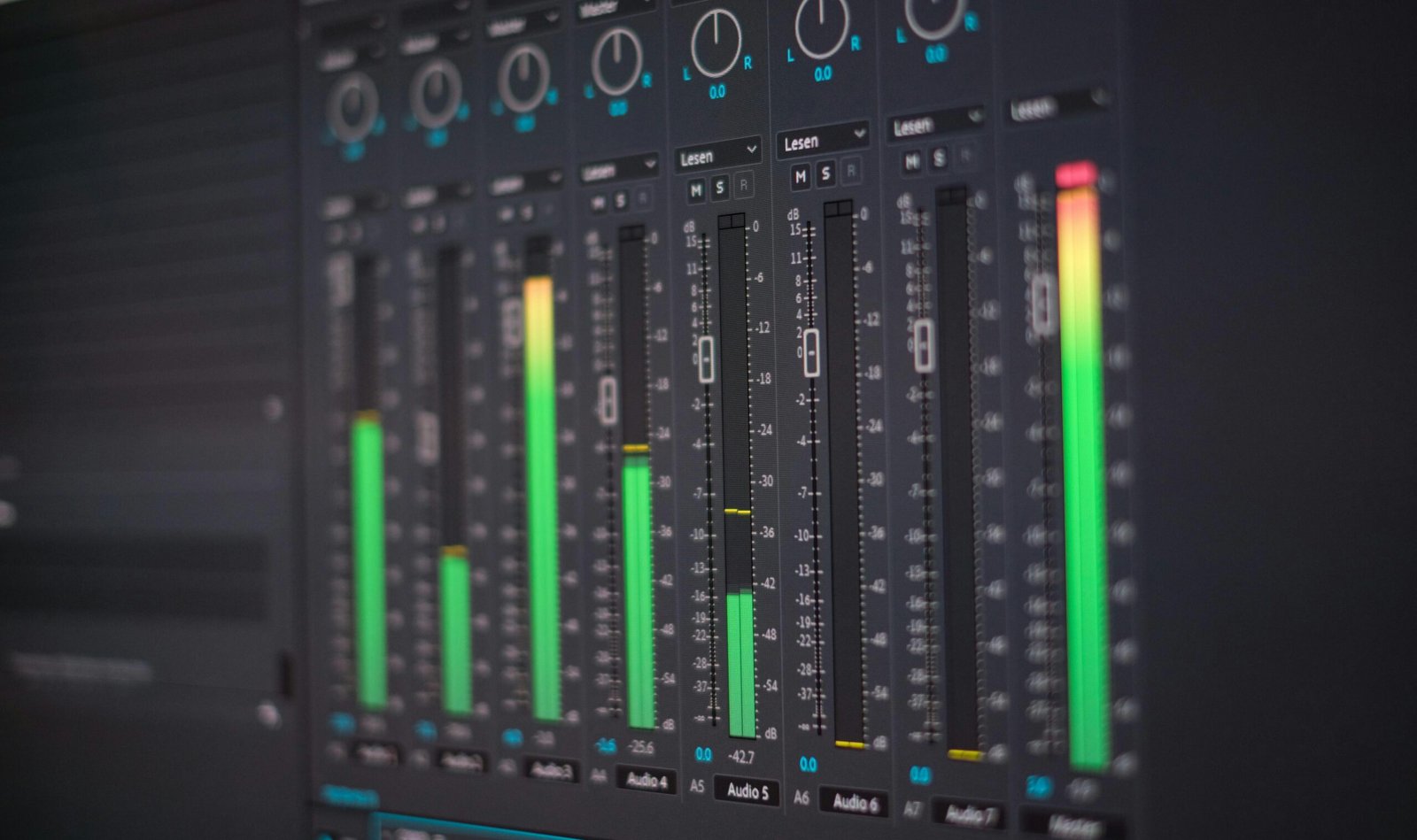
Step 4: Balance Levels & EQ for Clarity
Many beginners drag in sound effects at full volume—and it sounds jarring.
General starting points:
- Keep SFX below dialogue so they support, not compete.
- Turn loud impacts down until they feel present but not painful.
- Use basic EQ to:
- Roll off low rumble that muddies dialogue.
- Tame sharp highs if a sound feels harsh.
If your editor has it, use a limiter on the master output to catch sudden peaks.
Step 5: Test on Multiple Devices
Always listen back on:
- Headphones
- Laptop or phone speakers
- (If possible) a TV or external speakers
Ask:
- Can I hear the important sound effects clearly?
- Are any SFX way too loud on earbuds?
- Does the project still work if someone listens quietly?
This simple test often reveals issues you’d never notice in your editing environment.
Key Benefits & Data: Why Sound Effects Boost Performance
Thoughtful use of sound effects can:
- Increase perceived quality
Viewers may not know why your content feels “expensive,” but consistent SFX are a big reason. - Improve engagement and retention
Dynamic audio (whooshes, pops, transitions) helps keep attention, especially on short-form content and ads. - Clarify information
UI sounds and subtle cues help users follow tutorials, demos, or gameplay without confusion. - Create brand identity
Reusing a signature sound (intro swoosh, notification tone, logo sting) makes your brand more memorable.
Across platforms, creators and marketers consistently report that better audio—including music and sound effects—correlates with more watch time, more shares, and better conversion.
Optimization & Pro-Tips: Getting More from Your Sound Effects
To fully optimize your sound design workflow:
- Layer, don’t just stack
Combine a low “boom” with a higher “whoosh” for a richer transition. - Use subtle variations
For repetitive actions (like button clicks), rotate between a few slightly different SFX to avoid a robotic feel. - Normalize and batch-process
Prepare your favorite SFX once (trim, normalize, maybe EQ) so you don’t redo the same tweaks in every project. - Tag and name clearly
Rename files descriptively:ui_click_soft_01.wav,whoosh_fast_wide_02.wav,ambience_cafe_light_01.wav. - Respect loudness standards
If you publish podcasts or broadcast content, aim for platform-recommended loudness (your DAW or editor likely has presets).
Implementation & Best Practices: Adapting to Your Medium
For YouTube & social video:
- Use SFX on:
- Text animations
- Jump cuts
- B-roll transitions
- Avoid constant loud SFX that fatigue viewers; stay tasteful.
For podcasts:
- Keep SFX minimal and purposeful.
- Use stingers for:
- Segment changes
- Ad breaks
- Intros/outros
- Ensure dialogue always remains the star.
For games & apps:
- Prioritize instant, clear feedback:
- Clicks, hovers, errors, confirmations
- Rewards (coins, points, level-ups)
- Maintain a consistent “audio language” (same style and tone across all sounds).
Common Mistakes to Avoid
When working with sound effects, watch out for:
- Overloading your mix
Too many SFX make content feel chaotic and amateurish. Less is often more. - Mismatched style or realism
Hyper-cartoonish sounds over serious footage break immersion. - Ignoring copyright & licensing
Never assume you can use any sound you find online. Always check:- License type
- Commercial-use permissions
- Attribution requirements
- Inconsistent volume
Some SFX are much louder than others. Normalize and adjust to keep levels consistent.
Maintenance & Long-Term Strategy
To make sound effects sustainable in your workflow:
- Build your own SFX library
Keep a central folder (local or cloud) organized by:- Category (UI, ambience, impacts, foley)
- Project or client
- Mood (soft, aggressive, playful)
- Create reusable templates
Save:- A timeline with your favorite whooshes and ambience
- Saved EQ and compression presets for typical SFX types
- Back up regularly
Losing your SFX library is a hidden productivity killer. Use external drives or cloud backup. - Evolve with your brand
As your style matures, refine your SFX palette so your audience begins to recognize your “sound.”
Conclusion
Thoughtfully using sound effects is one of the fastest ways to upgrade any video, podcast, game, or app—without upgrading your camera or gear. Once you understand what SFX do, how to place and balance them, and how to manage a library, you can give your content a professional edge that most beginners skip.
If you’re just starting, pick one upcoming project and:
- Add a few whooshes to transitions.
- Layer in subtle ambience under your main audio.
- Test the result on headphones vs. speakers.
Notice how different it feels.
If you found this helpful, consider bookmarking it, sharing it with another creator, or dropping a comment with your favorite source of sound effects—and I can help you build a custom SFX workflow next.
FAQs: Sound Effects for Creators
1. Where can I find free sound effects?
There are many websites offering free sound effects under various licenses. Look specifically for “royalty-free” and “commercial use allowed,” and always read the license page carefully. Many video editors also include built-in SFX libraries.
2. What’s the difference between sound effects and music?
- Sound effects (SFX):
Short, specific sounds (clicks, impacts, ambience, whooshes) that support actions and environment. - Music:
Longer, structured audio (songs, instrumentals) that sets overall mood and pacing.
Most projects use both: music for emotion and pacing, sound effects for detail and clarity.
3. How loud should sound effects be compared to dialogue?
As a rule of thumb:
- Dialogue should remain clearly audible and dominant.
- SFX should complement, not compete.
Start with SFX significantly lower than dialogue, then slowly raise them until they’re just noticeable but not distracting.
4. Which file format is best for sound effects?
- WAV or AIFF for highest quality during editing.
- MP3 or AAC mainly for final delivery or where storage is limited.
Most editing software handles WAV very well, so it’s a safe default for serious projects.
5. Can I create my own sound effects?
Absolutely. Many creators:
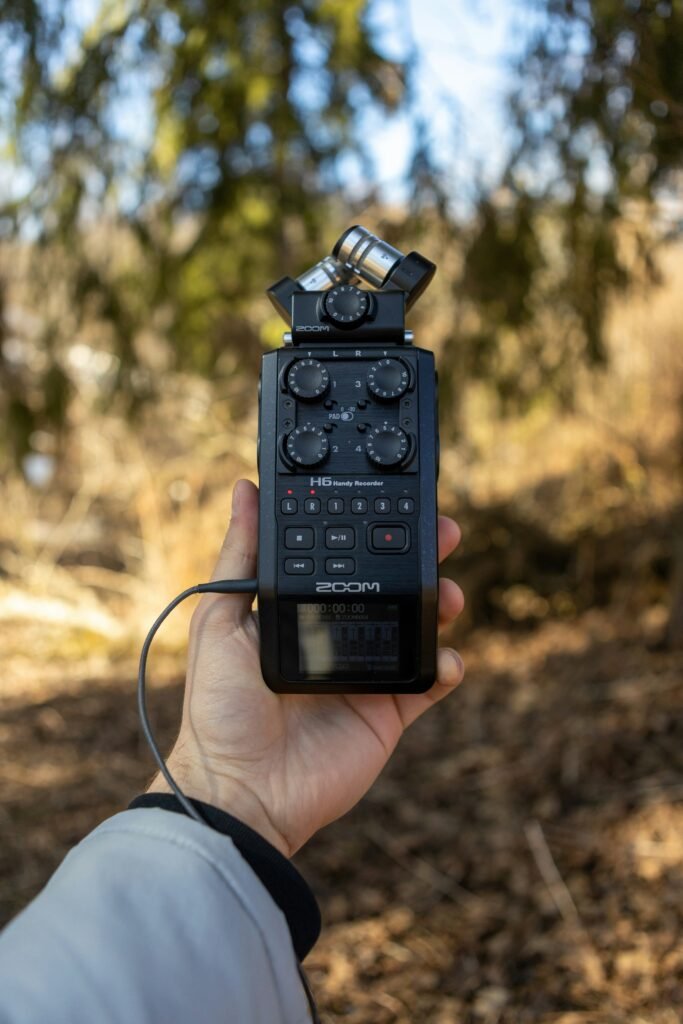
- Record sounds on their phone or a small recorder (doors, steps, objects).
- Edit and clean them up in a free or low-cost audio editor.
This is a great way to build a unique, custom SFX library tailored to your brand or game.
About The Author